Thursday, October 27, 2011

Is iOS 5 A Disappointment?

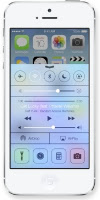
iOS 5 was a huge update for iPhone and iPad users, with more than 200 new features, including some that had been major requests for some time, and also dozens of smaller, "nice-to-haves" that make the iPhone and iPad such compelling devices. I was among the millions that downloaded the new iOS on the day it was released, 12 October 2011. In fact, so many people were trying to download it simultaneously that they nearly brought down the internet! As good as it is, iOS 5 isn't perfect. Having lived with it for a couple of weeks now, I thought I would just list a couple of little niggles I have. Note, this is not a review of the iPhone 4S, but rather iOS 5 used as an update to iPhone 4.

Notification Center
This is one of the most sought after features, and the one I was looking forward to the most, having used Android previously. Apple have done a great job, and have improved on Android's offering, but is it too much to ask to include a "clear all" button? It's great that you have the option to clear the notifications from each app individually, but if you haven't checked it all day it can be quite tiresome. One button to get rid of all those stale notifications is a must-have!

iMessage
For this one Apple looked across the border to RIM to copy their hugely successful Blackberry Messaging service. The intention was great, and the integration with the SMS Messages feature is typical of Apple's seamless approach to software design. The problem is, most of my friends don't have iPhones. I am working on that, but in the last 2 weeks I have not used iMessage once. If Samsung can make messaging cross-platform with their soon to be released ChatON service, why couldn't Apple? For now I continue to use Whatsapp.

Newsstand
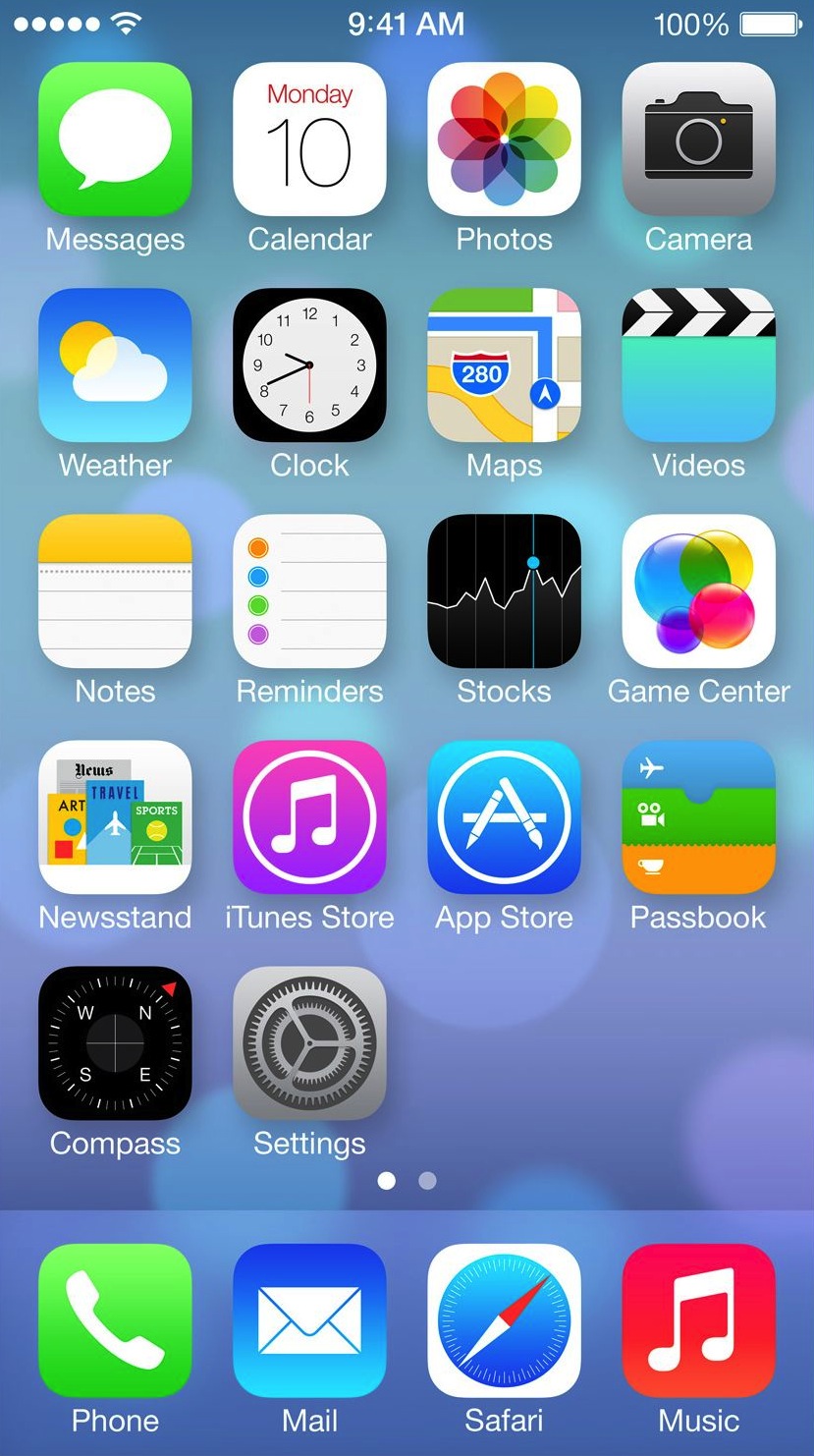
My only complaint about Newsstand is that there is no way to hide or delete the Newsstand "folder" if you don't use it. It's faux wood shelves are an unnecessary blot on my pristine iPhone screen! Sure, there is a way to add it into another folder, but this is a work around, and it shouldn't be necessary.

Reminders
I like the Reminders app, but one of its best features is practically unusable! The ability to add a location to a reminder is great, in theory. Unfortunately, Apple only allows you to add addresses from your Contacts, and I cannot get iOS to recognise my work or home addresses, and I don't have the addresses of shopping centers in my Contacts! Why couldn't Apple just allow the option to set the location by dropping a pin on the map?

Photos
iOS brings with it some great improvements for the Camera app, including the ability to go to the Camera app straight from the lock-screen, and to use the volume "up" button as a shutter release. However, the new Photo Stream feature hasn't been fully thought through. In theory it's great! All your photos will be instantly synced to all your iOS devises so if, for example, you shoot a picture with your iPhone, you can use the bigger screen on the iPad to touch it up, and then share it to Twitter from there. Awesome! But what if you're out shopping, and you shoot a photo of the latest Iron Man toy so you can check with your wife whether it's an appropriate Christmas present for your kid, and the kid picks up your iPad to play Angry Birds? Bam! Surprise ruined! The photo streaming idea is great, but it should require some user input for each photo before syncing, and perhaps even a list of devices you want to share it with.

Wi-Fi Sync
This is one of the other features I was really looking forward to. For me it just doesn't work consistently  and I have no idea what I'm doing wrong. It has worked, but most days I see a message to say "incomplete sync", or for whatever reason the iPhone isn't being recognised by iTunes, despite them both being able to access the internet on the same Wi-Fi connection.

Missing features
There are still a number of basic features that Apple seem to continuously overlook. Two of the biggest for me have to do with the newly renamed Music app. I have an old iPod Nano, and it had a feature that allowed me to set a playlist as an alarm. Thus I could wake up to the music of my choice each day. There are apps that try to imitate this, but most require you to open the app and leave it running all night, which is far from ideal. In a similar vein, why is there no sleep mode. If I using my iPhone to play music through a dock, I should be able to set it to turn off after 20 minutes. These aren't sophisticated features, and it amazes me that they aren't included in iOS. Even iTunes doesn't have a sleep function, which is ridiculous!

Wow, when I list my problems like this, there are more than I thought. This may make it sound like I'm unhappy with iOS 5, but I'm not! It's a huge step up from iOS 4.3, and I wouldn't switch back for anything. I'm just a bit disappointed, because it could have been so much better!

Thanks for reading.


Monday, October 10, 2011

A Great iPhone Dock


I have long had a mini hi-fi in my bedroom, and for the last 10 years my Onkyo that I bought in Japan has served me well. Initially, I bought it to play mini-discs, which were hugely popular in Japan before mp3s became the the force de jour. However, the Onkyo was versatile, and the “Aux In” allowed me to connect my iPod with relative ease. Unfortunately, the power supply recently packed up, and I decided it was time for an upgrade.

My requirements were simple:

  • iPod/iPhone capable
  • Good sound, but high volume not an issue
  • Solid build
  • Subtle styling
  • Reasonable price

Enter the Yamaha PDX-31. This little desktop audio system ticked all the boxes, and then some. The case, available in black, dark red or light grey has clean, simple lines, but houses a pair of 3.25-inch speakers that sound awesome, despite only a 15W x 2 digital amplifier.

The dock handles iPods and iPhones with a 30-pin Dock Connector, but there is also an auxiliary input for those other media players. The minimalistic design means the only buttons are volume up and down - the unit has auto power on and off, which is ideal for me. I can set the alarm on my iPod to play a specific playlist, and wake up to my favourite music, without having to leave the unit switched on all night. It works like a charm! There is no need for a "mode" switch - the unit will play from whichever source is connected, and will play from both simultaneously if both are connected. Included in the box is a very basic remote, which unfortunately feels a bit cheap, but gets the job done.

Priced at $169.99 from Amazon, but available for as little as $123 if you Google it, I was able to find one in South Africa at R1,770, after tax and duties, which wasn't too bad. Thanks to the great staff at Audio Excellence on Umhlanga Ridge for your patience and assistance!

Thanks for reading!


Thursday, October 6, 2011

Wednesday, October 5, 2011

There Will Be No iPhone 5... Ever!

OK, so maybe there will be an iPhone 5, but not if Apple follow logic in their naming convention. The first iPhone was launched in June 2007, and was simply known as the iPhone:


  1. 2007 June: iPhone  -  iPhone OS1
  2. 2008 July: iPhone 3G  -  iPhone OS2
  3. 2009 June: iPhone 3GS  -  iPhone OS3
  4. 2010 June: iPhone 4  -  iOS4
  5. 2011 October: iPhone 4S  -  iOS5
  6. 2012 October: iPhone 6  -  iOS6


The list above also shows a neat pattern in the OS numbering, which the iPhone 4S puts out of sync, as it will be running iOS5. As you will remember, there was never an iPhone 2 either, so there is precedent to leave out a number. It therefore makes sense that next year Apple will launch an iPhone 6, running iOS6.

Of course, there is another possibility, and that is if Apple includes LTE next year. Then they may call the new phone the iPhone 4G!

Thanks for reading!


Tuesday, October 4, 2011

iPhone 4S: All You Need To Know!

At last, after 18 months of speculation the iPhone 5 is finally here! Except it's not an iPhone 5 in a sleek tear-drop aluminium case - it's a carry-over design with the A5 dual-processor called the 4S. But what's in a name?


To recap, iOS5 will be available from 12 October. Here are some of the main features:


  • Notifications: Very Androidish - a replacement system for iOS’ otherwise antiquated alerts system.
  • iMessage: A free to use, iOS-to-iOS SMS replacement.
  • Reminders: user creatable time/location based reminders.
  • Twitter integration.
  • Newsstand: Apple’s in-house distribution system for iPad magazines.
  • New and improved camera (One click access from the lock screen, red eye removal, cropping, rotating, etc).
  • Game Center (Recommendation engine, Achievements system).
  • Improved Safari browser (Faster, lighter, tabbed browsing on iPad, and the “Reader” content scraper).
  • Mail app improvements.
  • PC-Free (Activation without iTunes).


But we knew all that. What about the new phone. The iPhone 4S?

  • Externally the same as iPhone 4 - screen size, glass back, etc.
  • A5 Dual-core Processor, dual-core graphics (up to 7x faster)
  • Improved battery life: 8 hours of 3G talk time; 6 hours of browsing; 9 hours on WiFi; 10 hours of video; 40 hours of music.
  • Improved call quality through intelligently switching between the two antennas between transmit and receive. Downloads theoretically 2x faster than iPhone 4.
  • One phone for everyone: GSM + CDMA.
  • Improved camera: 8MP sensor; f/2,4 lens; high speed auto-focus; face detection; auto white balance; 1080p HD video.
  • Airplay mirroring - great for gaming.
  • Voice-controlled personal assistant. You can ask things like “Will it rain in Cupertino?”, or “Can you find me a Greek Restaurant in Palo Alto?”, or “What’s the time in Paris?” and it’ll answer accordingly. This is the culmination of their purchase of Siri back in 2010 - and surprisingly enough, they’re keeping the “Siri” name.
  • Available from launch in black or white.
  • US pricing: 16GB for $199, 32GB for $299, or 64GB (new) for $399.
Key for the US market is the addition of Sprint to AT&T and Verizon as official carriers - this should see a nice bump in sales! Add to that the rumored deal with China Mobile, and this could be the best selling iPhone ever!

For the millions of iPhone 4 users out there, myself included, this launch is great news; your phone hasn't been made completely redundant today. I guess time will tell, but after delaying the launch from the typical June timing, I was expecting more. I believed Apple needed the extra time to finalise some awesome new features! I assume that the revised exterior design, 4" screen, LTE, NFC, etc will be kept for the iPhone 5. Let the speculation begin!

Thanks for reading!

Thursday, September 29, 2011

The Nokia N9, MeeGo, and Who the Hell Would Buy One of These?


I have long been an admirer of Nokia’s hardware. Over the years I’ve owned a number of Nokia phones, from the awesome 6210 back in 2000 (wow, only 11 years ago!), through to the more recent classic, the 6300, and Nokia’s first touch screen, the 5800 XpressMusic. Build quality has always been beyond reproach, and Nokia’s position as market leader was well deserved.

Unfortunately for Nokia, the only constant in the tech industry is change, and they were too slow to react when the iPhone was launched with its revolutionary touch screen back in June 2007. They originally dipped a toe in the water with the above mentioned 5800 XM, and followed up with a series of flagship models like the N97, all running versions of Symbian S60 5th Edition. The latest version of the OS, Symbian^3, was first used as recently as Q4 2010, when the N8 was launched.

On 11 February, 2011, Nokia announced that it would migrate away from Symbian to Windows Phone 7, and the first devices from this collaboration are expected in Q4 2011.

Simultaneous to their work with Symbian, Nokia was also developing the Maemo OS, which eventually made an appearance on the N900 in late 2009. In February 2010 Nokia entered into partnership with Intel to merge Maemo and Intel’s Moblin project. And so MeeGo was born. Nokia eventually launched a device running the MeeGo OS, the N9, and have hailed it as their newest flagship. However, the press releases don’t say that Nokia has already turned its back on MeeGo, and more recently the Linux Foundation announced that MeeGo will be totally replaced by Tizen, a new collaboration between Intel and Samsung.

The Nokia N9 will be the only MeeGo device, ever!

Nokia certainly know how to make decent hardware; the N9 is a gorgeous looking device. The front face is almost all screen – no untidy buttons to detract from that beautiful, minimalist design. The screen is 3.9” of Gorilla glass, and it has a 1GHz processor and an 8MP camera with Carl Zeiss optics, and it comes in a range of different colors. It certainly ticks all the right boxes. The UI is simple and elegant, involving a Home Screen and 3 main views: app launcher (Apps view), history (Open Apps view), and notifications. Navigation is a simple process of swiping between these screens.

But I don’t care! This OS may be the best thing since sliced bread, but why would anyone buy a smartphone when the OS has already been abandoned?

Nokia have made a big deal about the fact that the N9 supports the Qt framework, enabling apps built for Symbian smartphones to be ported easily to the N9. However, if you’ve already grown accustomed to the seemingly endless supply of new apps available in Apple’s App Store or the Android Market, the miserly selection of available apps will be a huge disappointment. What is the point of having all that great hardware, a great UI, and no apps to run on it? And don’t expect any developers to be burning the midnight oil dreaming up the next big thing. With only one device available in the market, and no plan for additional models, what would be the point?

Sadly, this appears to be an effort from Nokia to recover some of their development costs, and to keep their brand in the public eye. They have little regard for the damage that launching another dead-end device will do to their already flagging reputation. I am looking forward to seeing what Nokia can do with Windows Phone 7. The marriage between the very well thought of OS and Nokia’s great hardware could bear some interesting fruit, but Nokia could be losing a lot of potential customers with a poorly supported phone like the N9.

Thanks for reading!

Wednesday, September 28, 2011

Amazon's Kindle Fire Will Rock the Tablet Market!

The Kindle Fire was the star of the show, but Amazon launched 2 other new Kindles today: the $79 Kindle and the Kindle Touch in Wi-Fi only ($99) and 3G ($149) versions. As great as they are the Kindle Fire was what everyone was interested in.

First off, price. At $199 this is game changing. Amazon Prime is free for the first 30 days, but after that will cost the normal $79/year. The Fire has a 7" display and will have access to all of Amazon’s services including AmazonMP3, Amazon Prime, Amazon Kindle, Amazon Instant Video and the Amazon AppStore. The tablet is powered by a dual-core processor and weighs 413 grams. This compares to the the iPad at over 600 grams, albeit with a 9,7" screen. Customers can pre-order the Kindle Fire today and it will ship November 15 2011, just in time for the holidays!

The Fire runs on the Android 2.3, but you won't see much sign of it. Amazon have built their own UI on top of Android, and it looks pretty good. One of the great features Amazon have built in is Whispersync, which not only automatically syncs your library, last page read, bookmarks, notes, and highlights across your devices, but on Kindle Fire, Whispersync extends to video.

Amazon also introduced their own browser for the Fire, called Amazon Silk. From their own description: "Amazon Silk is a revolutionary, cloud-accelerated browser that uses a "split browser" architecture to leverage the computing speed and power of the Amazon Web Services cloud. Supports Adobe® Flash® Player." It will be interesting to see how it shapes up against the established browsers.

With access to the Amazon AppStore, getting access to and running your favorite apps shouldn't be a problem, but I must point out that there is no camera. An email app is included, or you can download one from the AppStore.

For those that like to know the numbers, the screen is a 7" multi-touch with IPS (in-plane switching) technology and anti-reflective treatment, 1024 x 600 pixel resolution at 169 ppi, 16 million colors. There is 8GB internal memory, which is apparently enough for 80 apps, plus either 10 movies or 800 songs or 6,000 books. However, there is also unlimited free cloud storage for anything you purchase from Amazon. The battery offers up to 8 hours of continuous reading or 7.5 hours of video playback, with wireless off. These numbers will vary depending on how much web browsing you're doing.

If the device looks familiar, that's because the hardware is essentially the same as the Blackberry Playbook, without the cameras and microphone.

Amazon have taken a leaf out of the Apple playbook (no pun intended). They have focused their effort on offering a service. This is where every Android tablet has come short. If you visit the web site, or watch any of the video from the launch, you will be left in no doubt what this device is meant for. It is for downloading (or streaming) media content from Amazon, and it offers you the convenience of access to all the apps you're familiar with. There is very little detail of the technical specs - they offer a device that is designed to do a job, and it will do it well.

The Kindle Fire, at $199, compared to the cheapest iPad at $499, is an incredible bargain. Tablets have just been opened up to the mainstream - this is no longer an elitist device. To quote Amazon Chief Executive Jeff Bezos: "These are premium products at nonpremium prices". If you thought the iPad was selling well, watch this one fly of the shelves! The only downside: it's US only for now.

Thanks for reading!